
Subnautica Mobile: Touch Controls, Underwater Survival and Open-World Optimisation
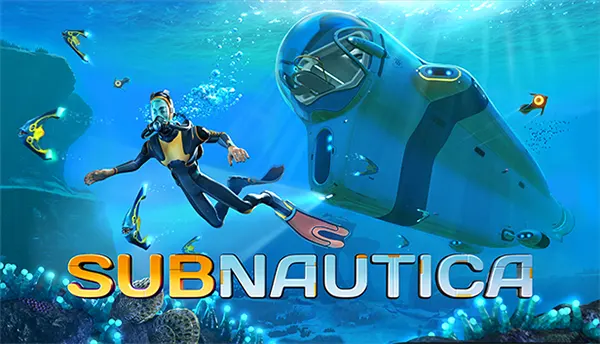
Subnautica Mobile brings Unknown Worlds’ complete underwater survival adventure to supported iOS and Android phones and tablets. Released on 8 July 2025 and ported by Playdigious, the mobile edition keeps the central experience intact: a crash landing on ocean planet 4546B, free movement through a large connected environment, resource gathering, crafting, base construction, vehicles and a story told through places, signals and recovered data. The main difference is how this demanding game fits a smaller screen and mobile hardware. Its redesigned interface, adjustable touch input and scalable graphics settings make the original structure practical on a handheld device without turning it into a simplified spin-off.
How Touch Controls Work in Subnautica Mobile
The mobile interface separates movement, camera control and context-sensitive actions so that the screen remains usable while the player swims, gathers materials or works inside a habitat. A virtual joystick handles forward and sideways movement, while dragging on the right side of the display turns the camera. Dedicated controls cover vertical swimming, sprinting on land, jumping, using the equipped item and interacting with nearby objects. The layout takes a little time to learn because Subnautica asks for more actions than a typical mobile adventure, yet the controls become predictable once the player understands which buttons change according to the selected tool or vehicle.
Touch input is especially important underwater, where movement is not limited to a flat surface. Players must control direction, depth and camera position while watching oxygen, threats and points of interest. The up and down swimming buttons provide precise vertical movement, while automatic movement can reduce the need to hold the virtual stick during long trips. A floating joystick can also appear where the thumb first touches the movement area, which may feel more natural on larger phones. These options do not remove the need for careful steering, but they reduce hand strain during routine travel between a base, wreck sites and resource areas.
Menus have also been adapted for fingers rather than a mouse pointer. Inventory items can be selected, moved between storage units and assigned to quick-access slots through direct touch. Crafting stations, lockers, vehicle controls and building tools use enlarged prompts that are easier to select on a phone. An update released shortly after launch improved inventory dragging so that moving an item into storage would not accidentally replace the object beneath the player’s finger. The same update corrected several overlapping interface elements, added an option to disable autosave and introduced inverted Y-axis support for touch controls, showing that the mobile layout continued to receive practical refinements after release.
Control Settings That Make Longer Sessions Easier
Subnautica Mobile includes several control adjustments in the Accessibility menu. Players can change the size of on-screen controls, select a fixed or floating joystick, make the joystick visible or invisible, alter the camera speed and choose a preferred button style. Automatic movement can be enabled, and the separate up and down swimming buttons can be hidden when a simpler layout is preferred. The joystick is the main element whose position can change; the other buttons stay in their assigned areas. This limitation means the interface is not fully rearrangeable, but the available settings still cover the most common comfort issues.
Visual comfort settings matter because important objects can be hard to notice in dark caves or deep water on a small display. Enhanced brightness can be switched on, subtitles are available, subtitle speed can be adjusted and flashes can be disabled for players who are sensitive to sudden light effects. A sensible first setup is to increase button size slightly, use a visible floating joystick and lower camera speed until precise movement feels comfortable. Faster camera movement may help during encounters with aggressive creatures, but a very high value can make it difficult to collect small resources or select narrow entrances.
A physical controller is supported for players who prefer analogue sticks and shoulder buttons. On iOS, the game officially supports MFi-certified controllers, and controller buttons can be remapped along with stick sensitivity and dead-zone settings. Android controllers may work, but compatibility cannot be guaranteed for every model because of the wide range of phones and accessories. Keyboard and mouse input are not supported in the mobile edition. Touch controls therefore remain the most dependable option on every compatible device, while a controller is useful for longer sessions, vehicle handling and players already familiar with the console version.
Underwater Survival Retains the Original Game’s Priorities
The opening hours follow the same survival logic as the original computer and console release. After the Aurora crashes on 4546B, the player begins in a damaged lifepod with limited supplies and basic fabricator access. Early priorities are immediate and easy to understand: repair essential equipment, obtain drinkable water, secure food and craft tools that make the surrounding shallows safer to navigate. Oxygen sets the first hard limit on movement. A promising cave or wreck can become dangerous when the route back to the surface is longer than expected, so progress depends as much on planning and memory as on collecting raw materials.
Progress grows from small practical improvements. Better oxygen tanks allow longer underwater trips, fins improve movement, the scanner turns fragments into usable blueprints and upgraded tools provide access to new materials. Base construction then changes the rhythm of play. A simple habitat can hold storage, crafting equipment and power systems, while later structures support food production, vehicle upgrades and journeys into deeper regions. The game rarely hands the player a single compulsory route. Radio messages, wrecks, abandoned facilities and environmental clues point towards useful areas, but preparation determines how safely those leads can be followed.
Depth is the clearest measure of advancement. The bright Safe Shallows provide common resources and relatively low risk, while kelp forests, grassy plateaus, mushroom zones, volcanic areas and deep cave systems demand stronger equipment and better judgement. Vehicles extend range and provide protection, but they also require power, repairs and depth upgrades. The Seamoth is suited to faster personal travel, the Prawn Suit handles hostile terrain and deep resource work, and the Cyclops serves as a large mobile base. Each vehicle changes the player’s options without removing the need to monitor damage, energy and a safe route home.
Choosing a Mode and Building a Reliable Survival Routine
Survival mode includes oxygen, health, hunger and thirst, making it the best match for the intended balance of risk and preparation. Food can spoil, water must be produced or collected, and a poorly planned trip can end before a major creature becomes a threat. A reliable routine is to leave the base with food, water, a repair tool, a scanner, a light source and enough free inventory space for the intended task. Carrying too much equipment reduces room for resources, while travelling too lightly may force an early return. The most effective preparation depends on depth, distance and the type of materials being sought.
Freedom mode removes hunger and thirst but keeps oxygen, health, crafting and danger. It suits players who want the same world and progression with less routine supply management. Creative mode removes most survival pressure and provides unrestricted building, making it useful for testing habitat designs or learning vehicle controls. These modes are not separate shortened campaigns; they alter the rules applied to the same core environment. A player struggling with touch input can begin in Freedom mode, become familiar with movement and menus, then start a Survival save once the control scheme feels natural.
The game works offline after installation, which makes it suitable for travel, but local and cloud saves still deserve attention. Cloud saving can move progress between Android devices through Google Play Games or between iOS devices through the player’s Apple account. Synchronisation should finish before a save is opened on a second device, since starting too early can overwrite newer progress. Long saves may take additional time to upload, and a 2025 patch specifically addressed large saves that sometimes failed to reach the cloud. Manual saving before major journeys, base changes or device transfers remains a useful habit even when autosave is enabled.
Open-World Optimisation for Phones and Tablets
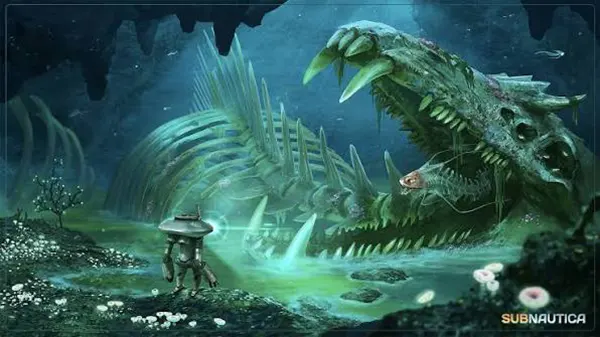
Subnautica Mobile preserves the large connected ocean, its major biomes, creatures, wrecks, building systems and vehicles rather than replacing them with small mobile-only stages. That scope is demanding because the game must display water effects, long viewing distances, moving wildlife, constructed bases and changing lighting while the player travels freely in three dimensions. The mobile edition manages this through device-based default settings and a graphics menu that lets the user balance image quality against stability. Stronger devices can present clearer detail and smoother movement, while less powerful compatible hardware may use lower resolution and reduced environmental effects.
The Graphics menu provides separate choices for landscape detail, rendering resolution and frame rate. Initial values are selected according to the phone or tablet’s graphics hardware, so the default preset is normally the safest starting point. Raising several settings at once can cause slowdowns or crashes, particularly around large bases, busy biomes or long play sessions. The Reset to Defaults option restores the recommended values when manual changes create problems. On less powerful graphics chips, minor effects such as underwater sun rays may be disabled automatically, allowing the core world and gameplay systems to run without spending limited resources on optional visual details.
Frame rate has the most noticeable effect on movement and battery use. A higher setting can make camera turns and vehicle steering feel smoother, but it increases heat and power consumption. Playdigious recommends selecting 30 frames per second and lowering resolution when a phone becomes hot or loses battery too quickly. This is a practical compromise for a survival game in which stable input and readable objects matter more than maximum visual sharpness. Closing other demanding apps, avoiding play while the phone is charging and leaving free storage for saves and updates can also support steadier performance during longer sessions.
Compatibility, Storage and the State of the Mobile Version in 2026
On Apple devices, the App Store lists iOS or iPadOS 15.0 and an A12 Bionic chip or later as the general requirement, but the official support list is more specific. Some A12 devices, including the iPhone XR and second-generation iPhone SE, are not supported, while models such as the iPhone XS, iPhone 11 and standard iPhone 12 can run the game with restricted graphics choices. Newer Pro models and iPhone 14 or later have broader graphics access. The iOS download is listed at about 2.4 GB, though additional free space is advisable for installation, saves and operating-system needs.
Android compatibility depends on the operating-system version, memory and graphics processor. Official guidance requires Android 10 or later and excludes devices with 4 GB of RAM or less, which means a compatible phone generally needs more than 4 GB. Several older or lower-tier graphics chips are blocked, and some individual phones are excluded even when their basic specifications appear sufficient. Google Play is therefore the most reliable compatibility check for a particular Android device. If the store marks the game as unavailable, the model may have failed performance testing rather than simply missing a listed software requirement.
As of 2026, the original Subnautica is a released premium mobile game on both iOS and Android, not a streaming version or a reduced free-to-play adaptation. Google Play records an update dated 23 June 2026, while the official mobile support material continues to document touch settings, graphics controls, cloud saves and device exclusions. The separate follow-up, Subnautica: Below Zero, also arrived on mobile in March 2026, but it is a different purchase with its own story and cold-region mechanics. For the original game, the strongest results come from checking compatibility before buying, keeping the recommended graphics preset and adjusting touch controls before beginning a long Survival save.
RECOMMENDED GAMES
-
 Best Casino Simulators for PC: Vegas Style Games Without Real Stakes
Casino simulators for PC offer a way to enjoy the …
-
 Azur Promilia Review: A Fantasy RPG Built for Mobile Players
Azur Promilia is one of the most discussed mobile RPG …
-
 Kingdom Rush 5: Alliance – Wukong’s Journey: The Return of a Legend...
The Kingdom Rush franchise has long been regarded as one …
-
 Destiny: Rising — A Mobile Sci-Fi RPG Shooter
“Destiny: Rising” has emerged in 2025 as one of the …